Photo Editor - Collage Maker
- 4.9
- Rating
- 100.00M
- Installs
- Free
- Price

 Analysis by App-foxy
I spent time with Photo Editor - Collage Maker as a practical photography app rather than treating it as just another filter tool. Its main appeal is the way it brings photo editing, collage building, frames, stickers, text, and grid-based layouts into one place. That makes it especially useful when I want to turn several phone pictures into something shareable without moving between separate apps.
The app is developed by Photo Editor & Collage Maker and is available free of charge. It is rated for Everyone, so its general presentation is approachable for casual users, families, and people who do not want a complicated professional editor. The current version is 1.564.272, and it runs on Android 8.0 or later. With over 100 million installs and an average score of 4.9 from around 1.2 million ratings, it is clearly a widely used option in mobile photography.
How the editing and collage workflow feels in everyday use
My first impression was that the app is built around quick results. Instead of asking me to understand layers, masks, or a professional timeline, it lets me begin with the result I have in mind: a single edited image, a collage, a framed picture, or a design with decorative elements. That focus is valuable when the goal is to finish something in a few minutes rather than learn a full desktop-style editor.
You May Also Like

 Pandora - Music & Podcasts
Pandora’s Music Is Easy to Start, but Harder to Recover
Pandora’s strength is its low-effort path from a seed to a station. Its weak spot is how much confidence it asks you to place in connection, setup, and quiet recovery.

 AccuWeather: Weather Radar
AccuWeather Review: A Quick, Clear Forecast for Everyday Decisions
For everyday plans, the best forecast is the one you can understand quickly. AccuWeather makes rain timing, radar, and local conditions easy to act on, with a few trade-offs.

 Hill Climb Racing
Why Hill Climb Racing Still Turns Crashes Into One More Run
A tiny car, a bumpy hill and one more upgrade: Hill Climb Racing keeps resurfacing because its simple chaos makes every near-miss feel personal.

 AliExpress - Shopping App
AliExpress Makes Global Shopping Feel Personal, but Shoppers Bear the Risk
AliExpress turns a global marketplace into a pocket-sized discovery engine. Its reach is useful, its shopping loop compelling, and its trade-offs easy to miss.

 Lords Mobile: Kingdom Wars
Lords Mobile Is a Kingdom-Building Routine, Not a Quick Match
A case-by-case verdict on the building, battles, device demands, and social commitments that make Lords Mobile rewarding for some players and exhausting for others.

 PDF Scanner app - TapScanner
TapScanner Makes Paperwork Easier to Capture, Check, and Share
TapScanner makes scanning with a phone feel less like a rescue operation and more like a dependable step in getting work done. Its capture tools are useful, though not flawless.
More From Our News Desk
View All News


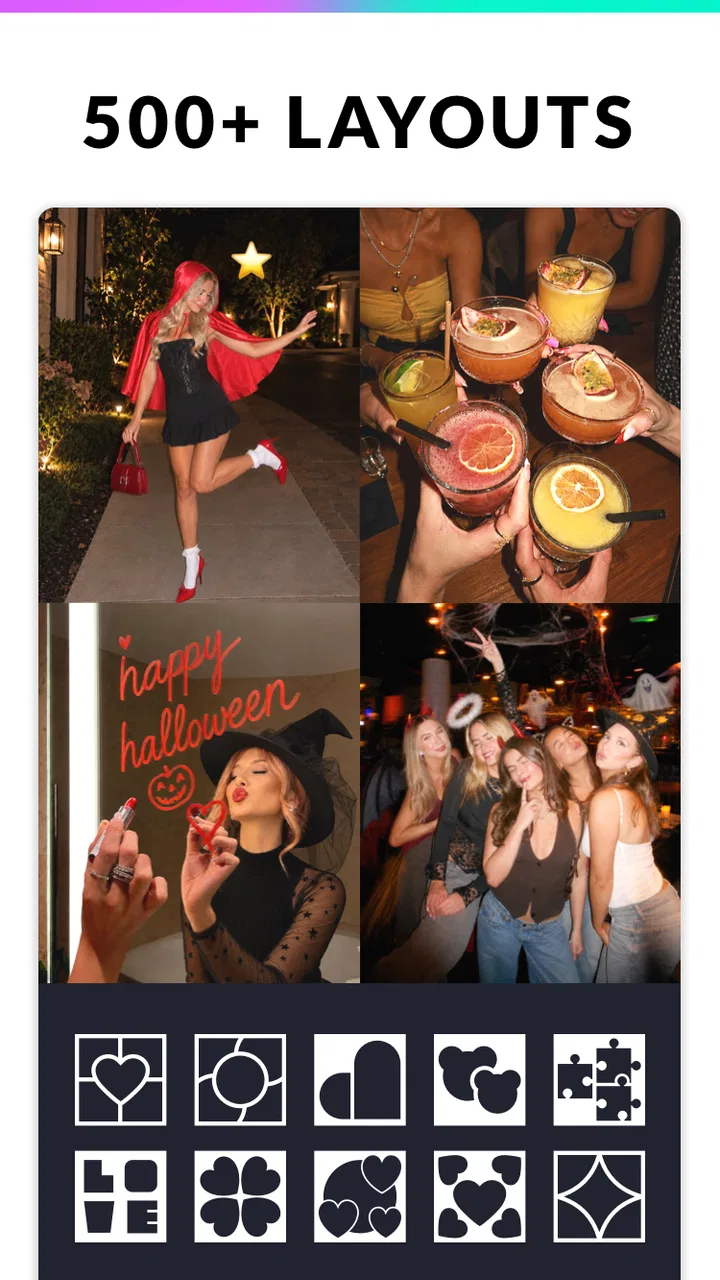
The collage side is the strongest reason to install it. The app offers more than 1000 grid and layout choices, which gives me much more control than the handful of fixed templates found in many basic gallery tools. I can start with several pictures from the same event, select a structure, and then adjust the arrangement until the images feel balanced. For a birthday recap, a travel collection, or a small product presentation, that is more convenient than manually placing every image in a blank canvas.
One useful habit is to choose the layout before spending time on decoration. A busy collage can quickly become difficult to read when every image has a sticker, caption, and frame. I found better results by first deciding which photo should receive the most space, then using the smaller cells for supporting images. The large selection of grids is most helpful when it supports that visual decision instead of encouraging me to keep changing templates without a clear purpose.
The photo editor gives the app a second role beyond collage creation. I can work on one image first and then use it in a multi-photo design. That matters when one picture is too dark, has distracting colors, or needs a little visual cleanup before joining the others. Keeping those steps in one app makes the process less fragmented, especially for people who edit directly on a phone.
Frames, stickers, and text are useful for turning a plain image into something more personal. I would use a short caption on a family memory, a simple border for a printed-style look, or a small decorative element for a social post. The key is restraint. Because the app offers many ways to decorate, it is easy to make a design feel crowded. A clean frame and one readable caption often look more polished than several competing effects.
A realistic workflow for a busy day
Imagine coming home from a weekend outing with a dozen pictures and wanting to send relatives a compact summary. I would select the clearest images, choose a layout with one larger central photo, and place the supporting moments around it. Before adding stickers, I would crop faces and important details so they remain visible in the smaller spaces. Then I would add a short text line and a modest frame rather than trying to turn every cell into a separate poster.
This workflow shows where the app earns its place. It is not necessarily about producing one technically perfect photograph. It is about combining several ordinary phone pictures into a finished visual message. That is a different need from advanced retouching, and the app handles that need more directly than a traditional single-image editor.
Another practical use is preparing a small set of images for an online listing or a personal project. A collage can show different angles or details without requiring the viewer to open several files. I would still check the readability of any text at the final display size, because captions that look fine while editing can become hard to read when surrounded by multiple images.
What makes the large layout library genuinely useful
The number of layouts is not valuable simply because it is large. Its real benefit is variety in proportions. Some collages work best with equal cells, while others need one dominant image and several narrow supporting areas. When I am working with portrait and landscape pictures together, having more structures to try can save me from forcing every photo into the same shape.
There is also a trade-off: more choice can slow down the first step. If I do not already know whether I want a symmetrical design, a magazine-like arrangement, or a simple strip, browsing can become part of the work. My advice is to decide the purpose first. A memory board, a comparison image, and a social announcement need different visual priorities, even if they all use the same collection of photos.
Where it differs from simpler phone alternatives
A standard phone gallery editor is usually faster for basic adjustments to one picture. If I only need to rotate an image, make a minor crop, or apply a quick correction, opening a larger creative app may feel unnecessary. The built-in editor also tends to be less distracting when I want a functional change rather than a designed result.
On the other hand, many simple gallery tools are not built around extensive collage work. They may offer a few layouts, but they do not give the same sense of choice when I want a particular arrangement. Photo Editor - Collage Maker is better suited to combining images and adding a visual theme, while the phone’s default editor remains the more efficient choice for tiny, one-image fixes.
Professional editing applications are stronger when I need precise control over individual elements, advanced color work, or a repeatable design system. They are also more appropriate for someone who already understands layers and wants to fine-tune every part of an image. This app takes the opposite approach: it favors approachable tools and quick composition. I see that as a strength for casual creators, but a limitation for photographers who need deep technical control.
Free access, paid value, and the point at which to stop
The app itself is free to download and use, which makes it easy to test without committing money first. That matters here because the best way to judge it is to build a few real collages, not simply browse the feature list. I would begin with a normal project such as a family montage or a small set of vacation photos and see whether the workflow feels comfortable.
In-app purchases range from $0.99 to $24.99 per item. That means the free starting point and the paid value should be considered separately. Free access is attractive for occasional users who only need a collage now and then. Paid spending becomes easier to justify for someone who regularly creates designs and finds that the extra creative options save time or improve the finished result.
I would not pay merely because the app contains a large number of layouts. I would first identify a repeated need: perhaps preparing weekly visual posts, making themed albums, or producing consistent images for a small personal project. If the app becomes part of that routine, a purchase may offer practical value. If I only make one collage every few months, the free experience is likely the more sensible stopping point.
The price range also makes it important to look at the purchase screen carefully before confirming anything. I would treat paid extras as optional enhancements rather than necessary proof that the app works. The core question is whether the free tools already solve my task. If they do, there is no reason to spend simply to unlock more variety that I may never use.
Small decisions that improve the final result
One non-obvious improvement is to edit for consistency before arranging the collage. If one photo is warm and bright while another is cool and dim, the finished grid can feel accidental even when the layout is good. I would make modest adjustments so the images share a similar mood, then use frames or text only after the pictures look coherent together.
A second tip is to reserve text for information that the images cannot communicate. A date, location, or short greeting can add context, but repeating what is already obvious makes the design noisy. I also prefer placing text where it has enough visual space around it. A caption squeezed between faces or fine details becomes difficult to read, especially on a smaller phone screen.
A third useful trade-off concerns the number of photos. More images can tell a fuller story, but they also make each individual picture smaller. I would rather use a focused group with clear subjects than include every photograph from an event. The app gives me the flexibility to build dense arrangements, but it does not remove the need for editing judgment.
For mixed portrait and landscape images, I would inspect every cell after choosing a layout. Automatic cropping can place the important part of a picture too close to an edge. Repositioning the image inside its frame is worth the extra moment, particularly when a face, sign, or product detail is the reason that photo was selected.
Where the experience can become frustrating
The same abundance that makes the app flexible can make it feel busy. Someone who wants a minimal interface may need patience while moving through layout, decoration, and editing choices. I found that starting with a clear target reduced the friction. Without one, it is easy to browse effects and lose sight of the image I originally wanted to create.
Decorative tools can also pull the result away from the photographs. Stickers and text are fun for informal posts, but they are not always appropriate for an album, a professional-looking announcement, or a product image. The app gives me the ability to create a playful design, yet good results depend on knowing when not to use every available option.
It is also not the app I would choose for serious photographic correction. If the priority is detailed retouching, carefully controlled color grading, or a sophisticated multi-layer composition, a dedicated professional editor is a better fit. This app is strongest when speed, accessibility, and visual arrangement matter more than microscopic control.
Who will get the most value from it
I would recommend it to people who regularly share groups of photos and want them to look more intentional than a loose collection of attachments. Families can use it for event summaries, travelers can create compact trip recaps, and casual creators can prepare image-based posts without learning complex software. The Everyone rating also makes its general audience broad and approachable.
It is particularly suitable for a user who wants several jobs in one app: basic photo editing, collage assembly, framing, stickers, and text. That combination reduces the need to export an image to one tool, add a caption in another, and finish it somewhere else. The convenience is the main practical advantage I noticed.
I would suggest skipping it if my main purpose were professional retouching or highly controlled graphic design. I would also skip it when I only need occasional basic crops and rotations, because the phone’s built-in tools may be quicker. The app earns its space when I expect to create composed images rather than perform isolated corrections.
Device fit and overall confidence
Support for Android 8.0 and later gives the app a fairly broad range of compatible devices. Still, the exact feel will depend on the phone, the number of images in a project, and how much decoration I add. For a smooth personal workflow, I would keep the source photos organized before opening the editor and avoid selecting a large collection without a clear design plan.
The combination of a 4.9 average and more than 100 million installs suggests that the app has found a strong audience, but those figures do not replace personal testing. A highly rated tool can still be wrong for someone who wants a sparse interface or advanced controls. In my case, the popularity makes it easier to consider, while the free entry point makes trying it a low-risk decision.
My buy-or-skip verdict
Photo Editor - Collage Maker delivers the most value as a flexible, approachable collage and photo-design tool. I like it when I need to turn several everyday pictures into one finished image, especially when I want more layout choice than a basic gallery editor provides. The free access is enough to test that central workflow, and the paid range is best viewed as an optional investment for frequent users rather than an automatic requirement.
My recommendation is to try the free version with a real project, not a random experiment. Build one collage, check whether the cropping and text placement feel natural, and decide whether the available tools match the style you actually make. If you want quick visual storytelling with grids, frames, stickers, and captions, this is a convincing choice. If you want advanced photographic precision or only the simplest one-image edits, another kind of editor will serve you better.
For me, the deciding advantage is convenience with room to be creative. The app does not replace every specialized photography tool, but it fills a useful middle ground between a basic phone editor and a demanding professional suite. That makes it worth keeping on an Android device for anyone who often turns personal photos into shareable collages.
FAQs for Photo Editor - Collage Maker
01What features does Photo Editor - Collage Maker offer?
Photo Editor - Collage Maker provides a wide array of features including filters, text overlays, stickers, and advanced editing tools like cropping, rotating, and adjusting brightness or contrast. Additionally, it offers collage templates that allow users to combine multiple images creatively. These features make it versatile for both casual and professional use.
02Is Photo Editor - Collage Maker free to use?
The app is available for free with basic features. However, users can opt for in-app purchases to unlock premium tools and remove ads. This freemium model allows users to access essential features without cost, while offering enhanced capabilities for those who choose to upgrade.
03How user-friendly is Photo Editor - Collage Maker?
Photo Editor - Collage Maker is designed with a user-friendly interface that caters to both beginners and experienced users. It includes intuitive navigation, drag-and-drop functionality, and easy access to editing tools. Tutorials and tips are also available to help users maximize their editing potential.
04Can I share my creations directly from the app?
Yes, Photo Editor - Collage Maker allows direct sharing of edited photos and collages to social media platforms like Instagram, Facebook, and Twitter. Users can also save their creations to their device or cloud storage, making it easy to showcase their work instantly.
05What platforms support Photo Editor - Collage Maker?
Photo Editor - Collage Maker is available for both Android and iOS devices. This cross-platform availability ensures that users on different smartphones can enjoy its features. It’s optimized for a range of devices, ensuring smooth performance and compatibility regardless of the operating system.
Pros
- Intuitive user interface
- easy to navigate.
- Wide variety of filters and effects.
- Supports high-resolution image exports.
- Includes creative collage templates.
- Regular updates with new features.
Cons
- Contains in-app ads that can be intrusive.
- Some features locked behind a paywall.
- Occasional crashes on older devices.
- Requires significant storage space.
- Limited font options for text edits.

Photo Editor - Collage Maker
Gallery